
Why real photos look fake
There are two ways to get a photo wrong: trusting a fake, and calling a real photo AI. The second mistake is common, because modern cameras produce effects that look a lot like generated images. Here are eight of them, and how to tell them apart from the real tells.
1. Phone processing
A phone photo is rarely a single exposure. The camera merges several frames, lifts the shadows, removes noise and sharpens edges before you see the result. Night mode can turn a dark street into a clean, bright scene with smooth surfaces and crisp outlines. That smoothness resembles the plastic finish of a generated image. The difference is that processing keeps the scene consistent: text stays readable, lines stay straight and objects keep their shape.
2. Portrait mode
Portrait mode fakes a shallow depth of field in software. The phone guesses where the person ends and blurs everything behind them. It often guesses wrong around hair, glasses, ears and fingers, leaving sharp halos or blurred patches inside the outline. These cut-out errors look generated, but the scene behind them was real. Check the background: it is blurred, yet it still holds real, specific objects.
3. Filters and retouching
Beauty filters smooth skin, enlarge eyes and slim faces, and professional retouching removes every blemish. The result has the waxy skin that many people associate with AI faces. Look past the face. A filtered selfie still has a messy room, a real crowd or a readable sign behind it.
4. Studio and product photography
Advertising photos are lit with several lamps, shot against clean backgrounds and edited until every surface is flawless. That polish is exactly what people expect from AI. For products, read the label instead: a real product has a real brand, real small print and the right number of buttons.
5. Long exposures
A slow shutter turns moving water into mist, car lights into lines and walking people into ghosts. These effects look impossible, but a camera on a tripod makes them in seconds. Look at what stands still: buildings and rocks should be sharp and correct.
6. Unusual lenses and viewpoints
Wide-angle lenses stretch faces and objects near the edge of the frame. Telephoto lenses compress distance, so the moon looks huge behind a building. Drones show the world from angles people rarely see, and tilt-shift lenses make real cities look like models. Strange perspective alone is not a tell. Broken geometry is.
7. Compression and upscaling
A photo that was forwarded through messaging apps, screenshotted and uploaded again loses detail at every step. Blocky edges, smeared textures and colour banding make it look artificial. Upscaling tools, many of them AI-based, add the opposite problem: invented fine detail that can look painted. The photo underneath is still real, so look for the original file before you judge.
8. Real life is strange
Some real scenes are simply unlikely: a perfect reflection in still water, identical twins, a cloud shaped like an animal, a cat in an impossible spot. Models produce the strange on purpose. Reality produces it by accident, and when it does, the details still add up.
Camera effect or AI?
Camera effects change how a scene looks. AI mistakes change what the scene is. Blur, smoothness, glow and odd colours can all come from a camera. Text that turns into nonsense, hands with the wrong number of fingers, shadows that point in different directions and objects that pass through each other cannot. When a photo feels fake, work out which kind of strange it is.
Real photos from past puzzles
These real photos ran in earlier puzzles. Each one shows the kind of evidence a camera leaves behind and a model rarely copies: noise, uneven light and wear.
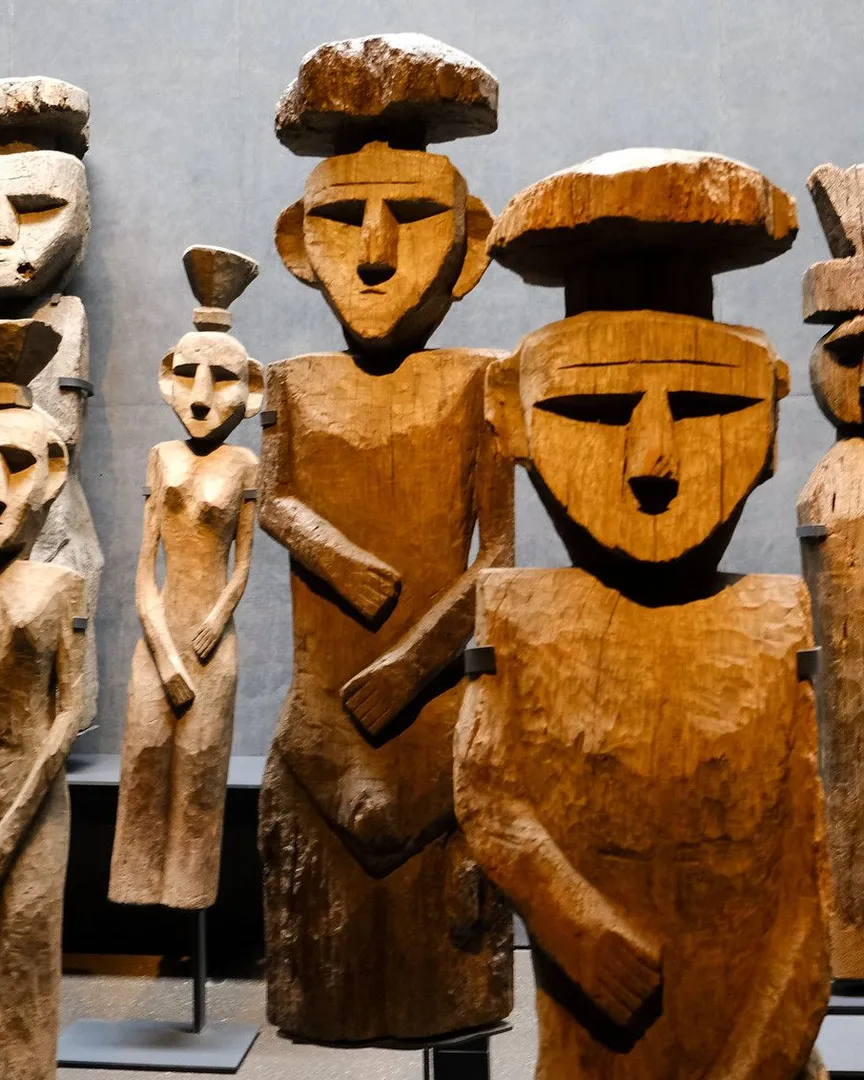
Real photo
The wood grain and rough chisel marks show authentic organic wear and varied deep carving textures.
Tell: Texture and noise
Photo by Francisco Anzola, CC BY 2.0, cropped.
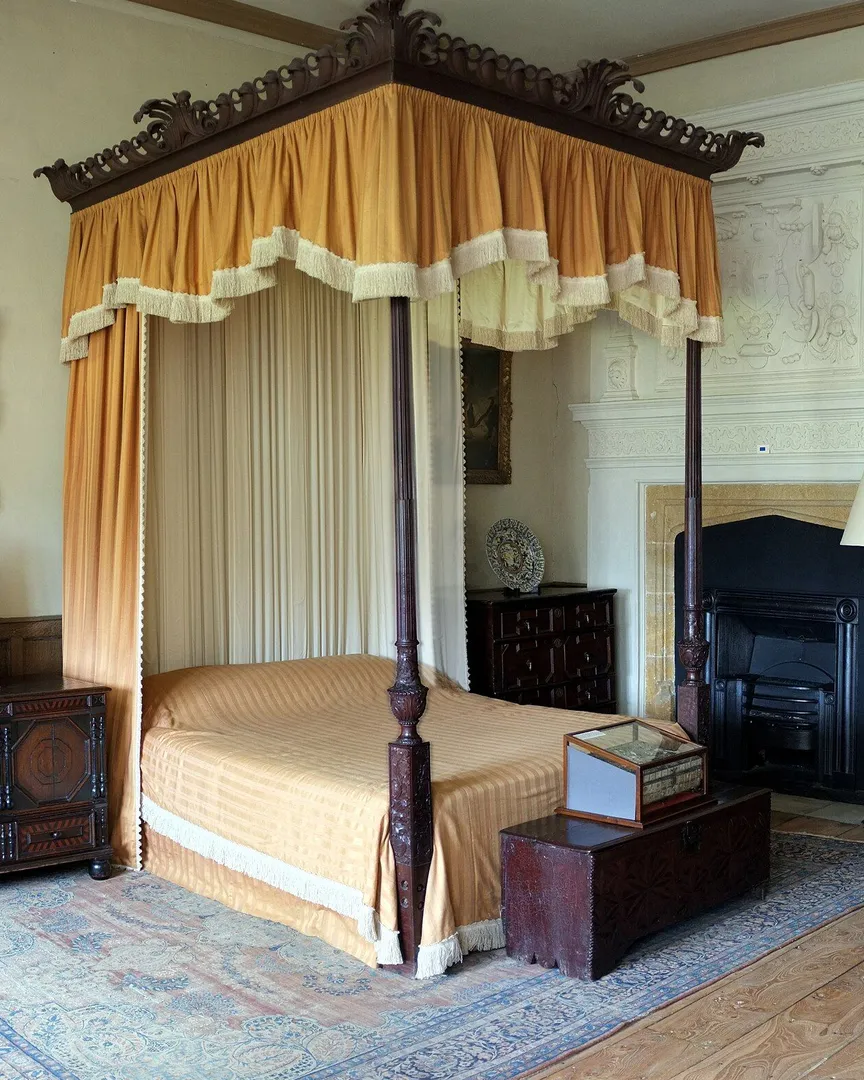
Real photo
The realistic age on the carved wood, detailed fabric fringe, and fireplace architecture show real historic craftsmanship.
Tell: Texture and noise
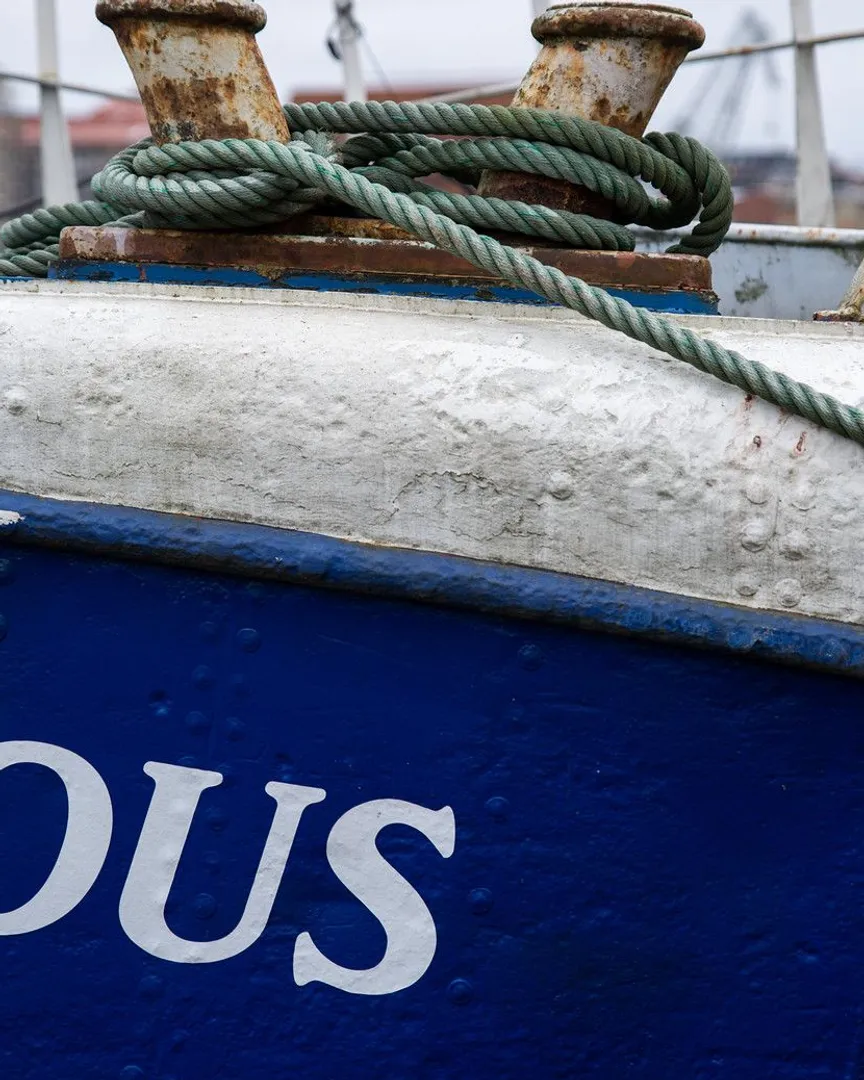
Real photo
Notice the natural rust flaking on the bollards and authentic painted rivet bumps on the hull.
Tell: Texture and noise
Photo by Henry Söderlund, CC BY 2.0, cropped.

Practice
AI vs Real puts a real photo next to an AI image of the same kind of scene, which makes it the best mode for learning the difference. The texture and lighting tells cover the camera side in more detail, and how to check if a photo is real covers what to do when looking is not enough.